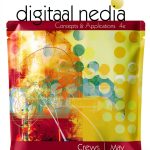


Description
Product Overview
This comprehensive keyboarding and Microsoft Word guide from Cengage Learning is designed to build essential skills for modern computing. Published in January 2016, the 020 edition spans 608 pages in a print replica format, ensuring accurate content presentation. It covers fundamental typing techniques, document formatting, and advanced Word features, with an ISBN-13 of 978-1337245517. The English-language resource is optimized for learning, featuring clear explanations and practical examples to support skill development.

Usage
This guide is ideal for students in academic settings, office professionals seeking to improve efficiency, and individuals preparing for certification exams. Use it in classrooms, home offices, or self-study environments to master keyboarding speed and accuracy, as well as Microsoft Word functionalities like document creation, editing, and formatting. It suits beginners and intermediate users aiming to enhance their computer literacy and productivity in educational or workplace scenarios.
Why Choose Us
Cengage Learning is a trusted publisher with a reputation for high-quality educational materials, ensuring content accuracy and pedagogical effectiveness. This guide stands out with its structured approach, combining keyboarding fundamentals with practical Word applications, backed by positive user reviews. The print replica format preserves the original layout for consistent learning, making it a reliable choice for skill-building without distractions.
Key Features
- Comprehensive 608-page coverage of keyboarding and Microsoft Word essentials
- Print replica format for accurate content presentation and easy navigation
- Structured lessons with step-by-step instructions for gradual skill improvement
- Practical exercises and examples tailored for real-world application
- Trusted Cengage Learning quality with positive user feedback and high ratings
FAQ
What topics does this guide cover?
It includes keyboarding basics, typing techniques, and Microsoft Word features such as document formatting, editing tools, and template usage, all designed to improve productivity.
Is this suitable for beginners?
Yes, the guide starts with foundational concepts and progresses to advanced topics, making it accessible for beginners while offering value for intermediate users.
Can I use this for self-study?
Absolutely, the clear explanations and practical exercises allow for effective self-paced learning without requiring instructor guidance.
Does it include digital enhancements?
No, this edition is a print replica without enhanced typesetting or X-Ray, focusing on straightforward text-based instruction.
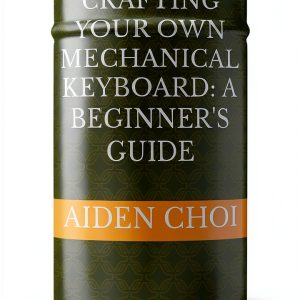
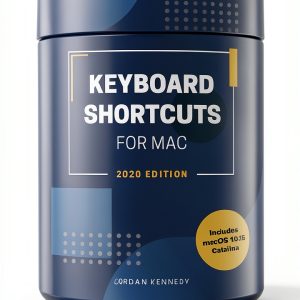




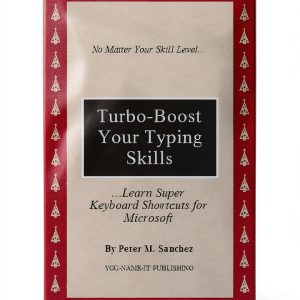
 Amazon Kindle eBook Love Triangle Romance 502 Pages Word Wise
  Kindle eBook English Language 11 Pages Enhanced Typesetting
  Kindle eBook Keyboarding Eye Problems Technology Short Reads
 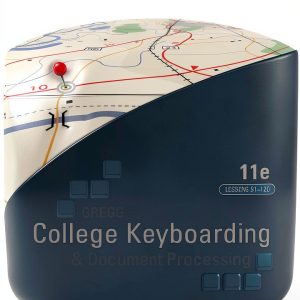 McGraw Hill Keyboarding 11th Edition Typing Skills Office
  U C-Abel Books Keyboarding Guide English Edition Print
  Kindle Store Best Seller The St. Jean Legacy Book 2
  Microsoft Word Guide Kindle Edition English Language Book
  Kindle eBook Keyboarding Functional Analysis Visual Basic
  U CAbel Books Shortcut Matters Kindle Edition English Guide
  Kindle Store War of Hearts Book 2 Romance eBooks
Reviews
There are no reviews yet.